STORM Platform · Risk Management

Make risk a connected operating process.

Move from mapped assets to impact, threat and vulnerability assessment, calculate risk in context, and carry decisions into a governed registry and treatment plan.

STORM documents built-in STORM-RM and ISO/IEC 27005 methodologies plus organization-specific configuration. Use of a methodology supports risk work; it does not by itself establish certification or compliance.

Risk evaluationContext connected
ImpactLikelihood
Application service
High exposure
Customer data
Review treatment
Supplier risk
Owner assigned
2 built inSTORM-RM and ISO/IEC 27005 methodology configurations.
ConfigurableScoring, input scales, criteria, thresholds and calculation logic.
Asset levelImpact, threats, vulnerabilities and calculated risk connected to assets.
ActionableControls, treatment strategies, owners, review dates and reports.
From context to decision

Keep the reasoning behind every risk visible.

A risk score is only useful when teams can trace it back to the affected asset, the potential impact, the relevant threats and vulnerabilities, and the action chosen in response. STORM links those stages through a structured workflow while allowing the organization to configure how risk is calculated and classified.

01 · MODEL

Start with assets

Use Cartography and dependency context as the foundation for asset-based assessment.

02 · ASSESS

Build the evidence

Evaluate impact, threats and vulnerabilities with structured online questionnaires.

03 · EVALUATE

Calculate consistently

Apply defined scales, formulas, thresholds, matrices and classification criteria.

04 · TREAT

Turn findings into action

Select controls, assign ownership and maintain mitigation and treatment records.

Inside the platform

A complete path from assessment to treatment.

STORM combines methodology configuration, structured assessments, interactive results, a central risk register and treatment workflows.

01 · Methodology and evaluation

Use a built-in method—or configure your own.

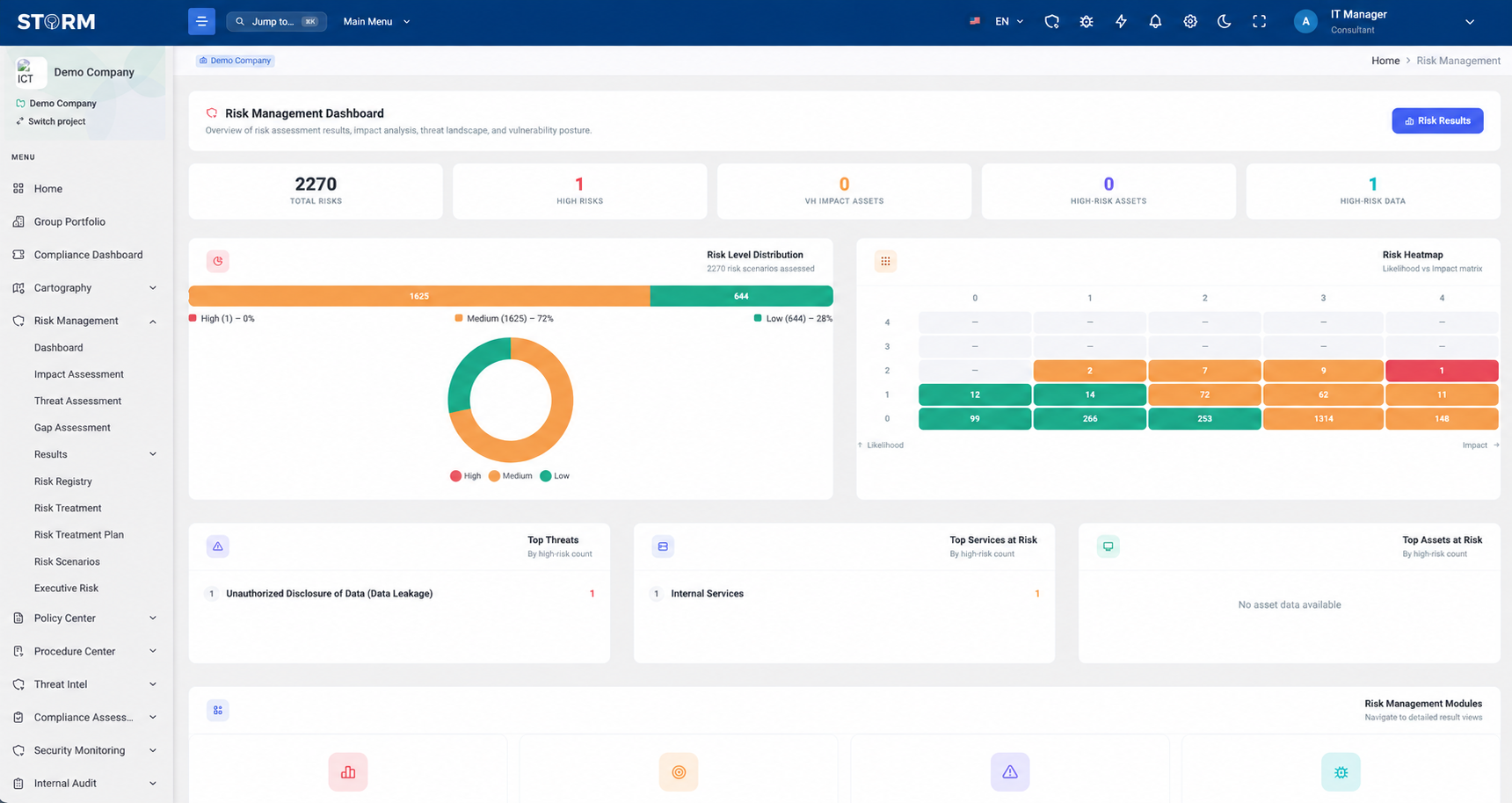
Start with STORM-RM or ISO/IEC 27005 configurations, each documented with formulas, scales, thresholds, matrices and reporting settings. Organizations can also define their own scoring inputs, classification criteria and calculation logic.
  • Predefined STORM-RM and ISO/IEC 27005 configurations
  • Organization-specific scoring and calculation logic
  • Charts, searchable tables and risk-assessment reporting
STORM risk assessment dashboard with risk results and visual summaries
02 · Structured assessment

Trace risk back to impact and exposure.

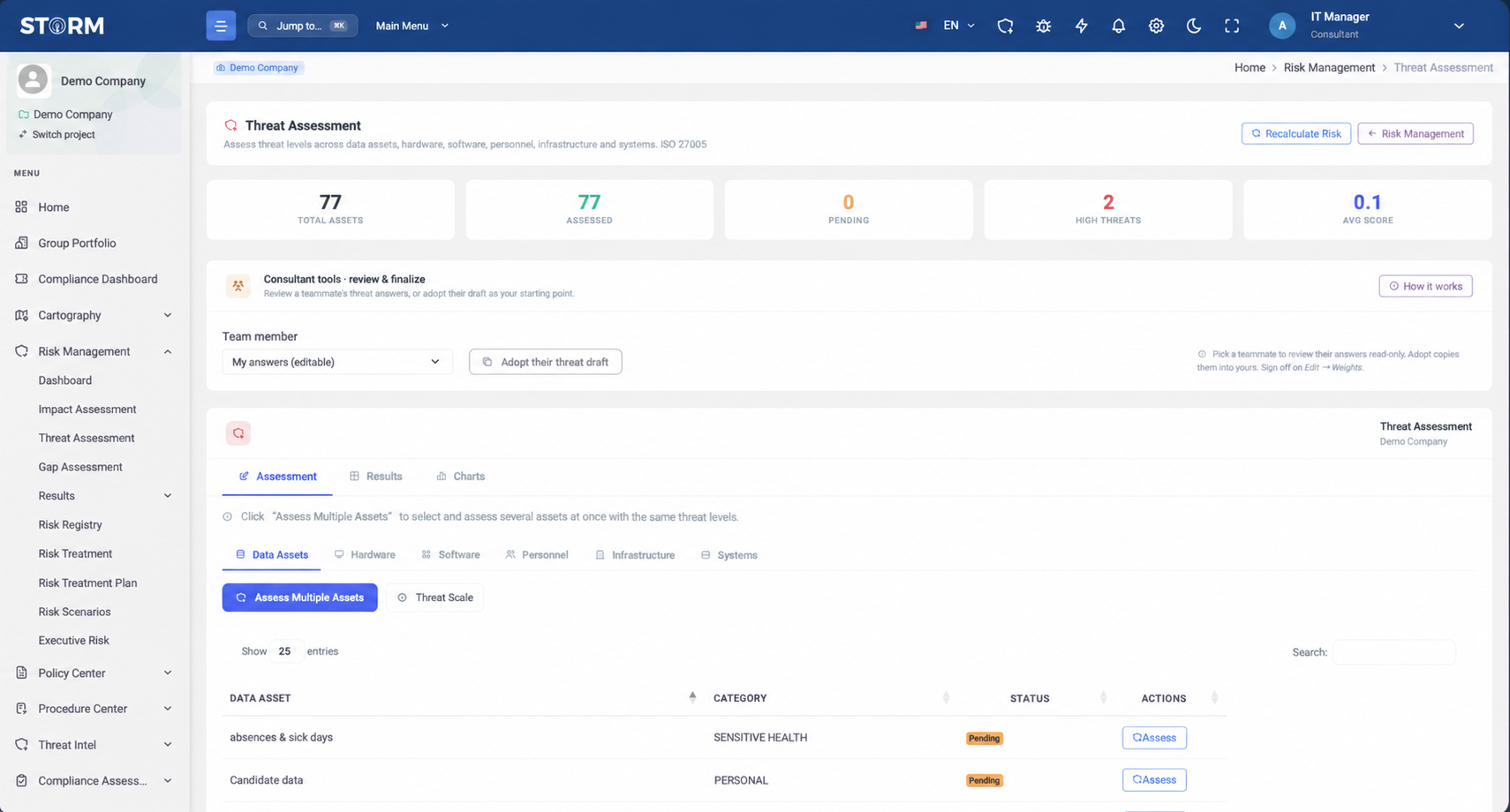
Assess confidentiality, integrity and availability consequences—including legal, financial and business considerations—then evaluate asset-specific threats and the vulnerabilities connected to them.
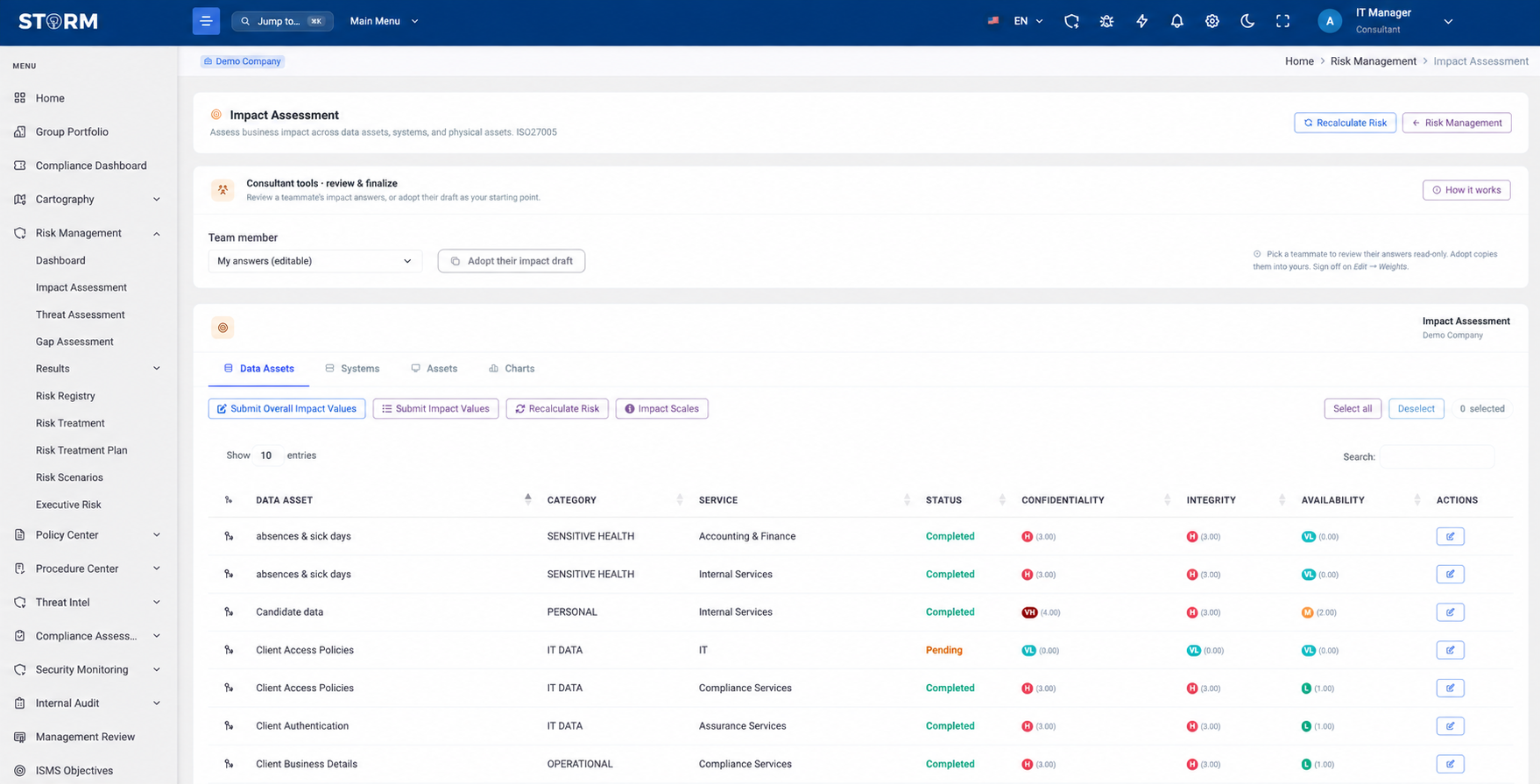
  • DPIA and BIA workflows within impact assessment
  • Threat groups assigned according to asset type
  • Threat-to-vulnerability relationships evaluated per asset
STORM impact assessment interface
STORM threat assessment interface
03 · Risk Registry

Keep assessed and custom risks in one governed record.

Create and manage custom risks arising from Third-Party Risk Management or Compliance Assessment alongside other findings. Capture likelihood, impact, risk level, controls, mitigation plans, treatment strategy, ownership, review dates and supporting files.
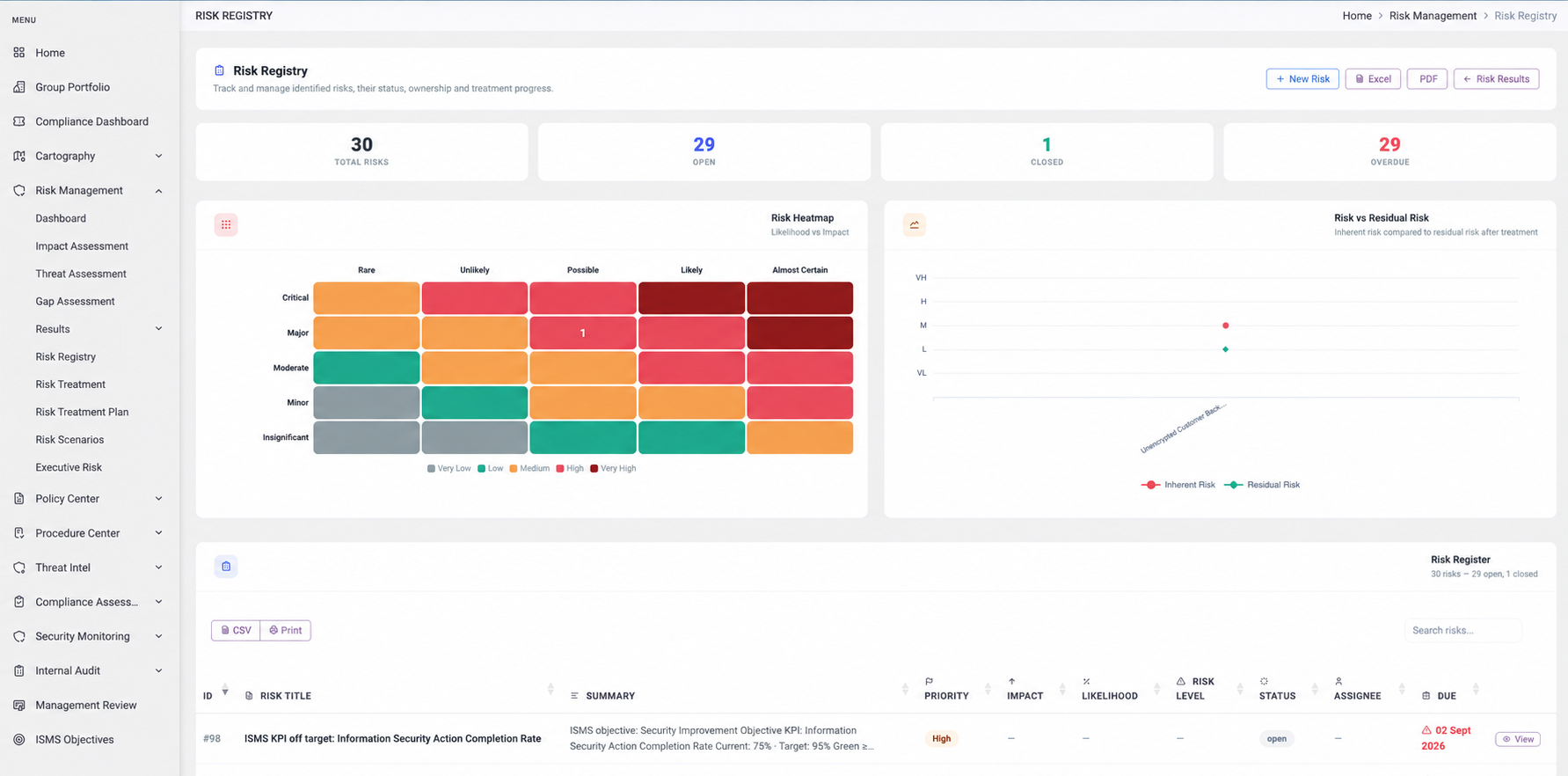
  • Ownership and review dates
  • Controls, mitigation plans and treatment strategy
  • Supporting attachments and searchable records
STORM Risk Registry interface showing risk records and status
04 · Treatment

Connect each decision to controls and responsibility.

Select an appropriate treatment approach and choose from technical, physical and other controls associated with relevant asset types. STORM then supports the documented Risk Treatment Report and ongoing mitigation record.
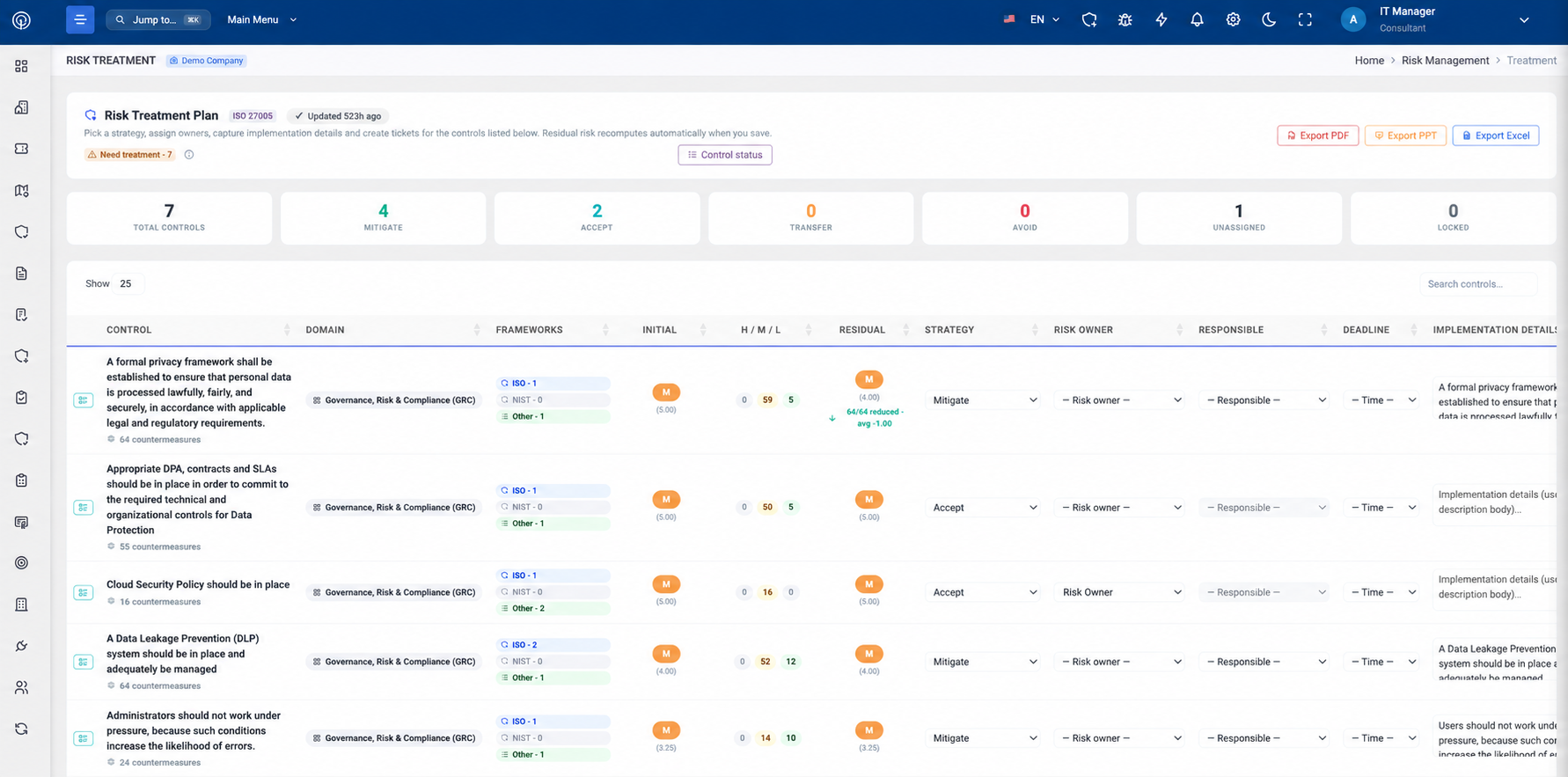
  • Asset-relevant control selection
  • Risk treatment planning and reporting
  • Jira sync documented for mitigation actions
STORM risk treatment interface showing controls and mitigation actions
Structured end to end

Keep each decision connected to the step that preceded it.

The documented workflow builds risk progressively instead of treating the final score as an isolated answer.

01

Cartography

Assets and dependencies

02

Impact

CIA and consequences

03

Threats

Asset-relevant scenarios

04

Vulnerabilities

Exposure per threat

05

Evaluation

Level and classification

06

Treatment

Controls and actions

Product boundary

Clear about what is documented.

The right configuration depends on the organization’s risk appetite, governance model and reporting needs.

Supported by the product description

  • STORM-RM and ISO/IEC 27005 methodology configurations
  • Custom scores, scales, criteria, thresholds and calculation logic
  • DPIA, BIA and asset-level CIA impact assessment
  • Threat and vulnerability questionnaires and relationships
  • Risk calculations, matrices, charts, filters and reports
  • Custom Risk Registry records from TPRM and Compliance Assessment
  • Control selection, treatment planning and mitigation-action sync to Jira

Confirm for your deployment

  • Specific risk methodology configuration and validation
  • FAIR, Monte Carlo or quantitative loss modelling
  • AI-generated risk scenarios or treatment recommendations
  • Automatic control selection without user decision
  • General risk-acceptance approval workflows
  • Connections to tools beyond documented integrations
  • Any certification or compliance outcome based solely on tool use
Practical questions

Test the method against how your organisation decides.

Bring a real service, asset set, scale and treatment scenario to the product walkthrough.

Which risk methodologies are built into STORM?
The supplied technical description identifies built-in support for STORM-RM and ISO/IEC 27005, including predefined formulas, evaluation scales, classification thresholds, risk matrices and reporting configurations.
Can we configure our own methodology?
Yes. Organizations can define their own scoring, input scales, classification criteria and calculation logic. The exact configuration and governance should be validated for the intended use case.
What does the impact assessment cover?
STORM documents asset-level assessment of confidentiality, integrity and availability impacts, taking account of legal, financial and business consequences. The same service includes Data Protection Impact Assessment and Business Impact Analysis workflows.
What can be stored in the Risk Registry?
Documented fields include likelihood, impact, risk levels, controls, mitigation plans, treatment strategies, ownership, review dates and supporting attachments. Custom risks can be derived from Third-Party Risk Management or Compliance Assessment.
Does STORM automatically choose the treatment?
The documentation states that users select the treatment approach and appropriate countermeasures from controls associated with different asset types. Automatic control selection or AI-generated treatment recommendations are not documented.
Which exports and reports are available?
Impact, threat and vulnerability results are documented for PDF, DOCX and XLSX download. Risk evaluation results can be exported in XLSX or CSV, with impact, threat, vulnerability and overall risk-assessment reports also available.
Does using STORM establish ISO/IEC 27001 conformity?
No software tool alone establishes conformity or certification. STORM provides documented risk methodologies, workflows, evidence and reports that can support an organization’s management-system activities.

Bring one real risk. Trace it from asset to treatment.

Validate the methodology, scales, evidence, calculation, ownership and treatment record against the way your organization actually makes risk decisions.

Book a STORM demo